
Users
As an Admin you see all users in your company and can pause and activate them. That is what you do in the app beyond what an Operator does.
Before you start
- You are signed in as Admin (or TenantAdmin), see Signing in and out.
- Everything an Operator can do, you can do too, see Orders and the other Operator pages. They are not described again here.
Open the user list
Tap the Användare (Users) card (Hantera användare och inbjudningar, "Manage users and invitations") on the start page. The card is at the bottom, below the usual cards. Scroll if you do not see it.
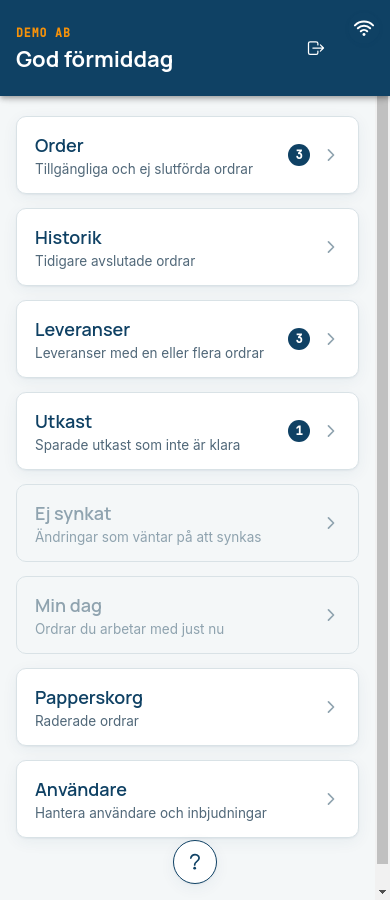
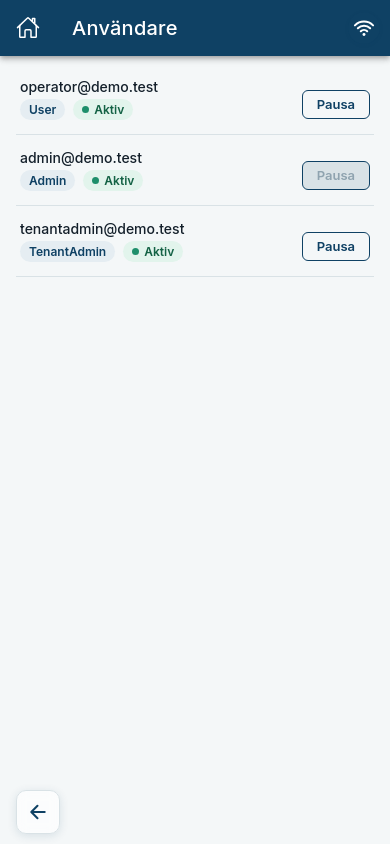
Expected: The page Användare shows one row per person with phone number or email, role (User is Operator, Admin or TenantAdmin) and status Aktiv (Active) or Pausad (Paused).
Pause a user
Pause a user who should not work in the app for a while, for example during leave or if a device has been lost.
- Tap Pausa (Pause) on the user's row.
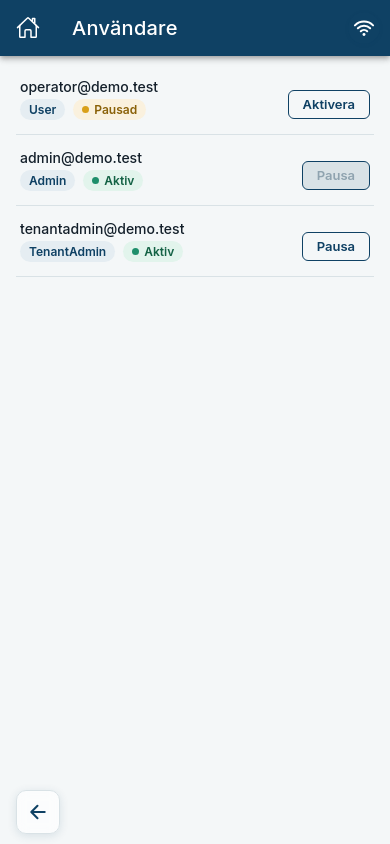
Expected: The status becomes Pausad and the button is renamed Aktivera (Activate). The person cannot sign in. If they try, they get the same message as if the account did not exist: "Ingen användare hittades för den angivna kontaktuppgiften."
Activate a user again
- Tap Aktivera on the paused user's row.
Expected: The status becomes Aktiv again and the person can sign in as usual. The user's orders and other data are not affected by the pause.
Your own user
The Pausa button is grey on your own row. You cannot pause yourself, so nobody locks themselves out by mistake. If you try anyway, you see "Du kan inte ändra ditt eget medlemskap på det sättet." (You cannot change your own membership that way.)
What you cannot do as an Admin
Archiving users, inviting new users and reading the Aktivitetslogg (Activity log, who did what) are reserved for TenantAdmin. You do not see those parts of the page. See Users and invitations.
Every pause and activation is written to the activity log, which a TenantAdmin can read.
Common errors
| Message | What to do |
|---|---|
| Kunde inte hämta användare. Kontrollera anslutningen och försök igen. (Could not fetch users.) | Check that you are online and try again. |
| Kunde inte genomföra ändringen. Kontrollera anslutningen och försök igen. (Could not make the change.) | Nothing changed. Try again when you have a connection. |
| Du kan inte ändra ditt eget medlemskap på det sättet. | Ask another Admin or a TenantAdmin to make the change. |
| Inga användare ännu (No users yet) | There are no users in the list. Ask your TenantAdmin to invite people. |