
Signing in and out
You sign in to Packstep with a phone number or an email address and a one-time code. There is no password to remember.
Before you start
- You have a user in your company (tenant). An administrator at your company adds you and sends an invitation.
- You have access to the phone number or email address your user was registered with, and can receive the code.
Sign in
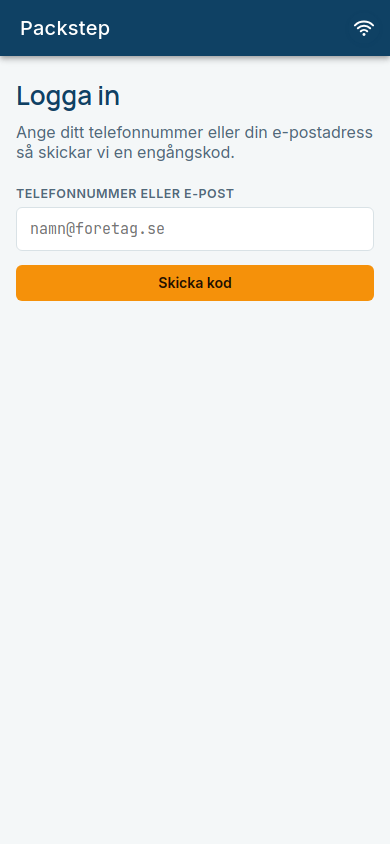
Open Packstep. You see Logga in (Sign in). Enter your phone number or email address and tap Skicka kod (Send code).
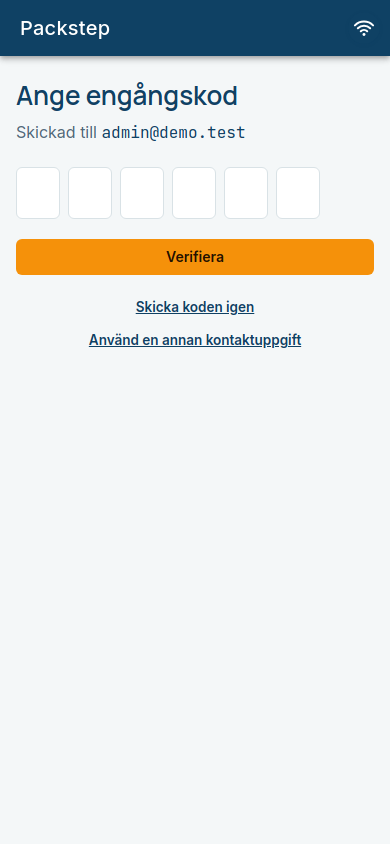
You receive a 6-digit code. Enter it under Ange engångskod (Enter one-time code) and tap Verifiera (Verify).
If you have access to several companies, Välj företag (Choose company) is shown. Tap the company you are going to work in.
Expected: You arrive at the start page. Which cards you see depends on your role, see Orders.
The code works once
The code expires after a while and can only be used once. Tap Skicka koden igen (Send the code again) if it has expired or you did not get one. Never share the code with anyone.
Sign out
Tap the Logga ut (Sign out) icon at the top right of the start page (the main menu). You arrive at the page Utloggad (Signed out).
Expected: It says "Du har loggats ut från Packstep." (You have been signed out of Packstep.) Changes that have not yet been synced stay on the device and are sent when you sign in again to the same company. See Offline and sync.
Automatic sign-out
Your company can have switched on automatic sign-out after a period of inactivity. Thirty seconds before it is time, a countdown is shown. Tap Fortsätt arbeta (Keep working), or just touch the screen, to stay signed in. Otherwise you are signed out, and an order that is open but not yet printed is saved as a draft. The Utloggad page tells you why you were signed out.
Common errors
| Message | What it means | What to do |
|---|---|---|
| Ingen användare hittades för den angivna kontaktuppgiften. (No user was found for the contact detail entered.) | The number or address is not registered at any company. | Check the spelling, or ask your administrator to add you. |
| Fel kod. Kontrollera koden och försök igen. (Wrong code.) | You typed the wrong digits. | Enter the code again. |
| Koden har gått ut. Begär en ny kod nedan. (The code has expired.) | Too much time has passed. | Tap Skicka koden igen. |
| Koden har redan använts. Begär en ny kod nedan. (The code has already been used.) | The same code cannot be used twice. | Tap Skicka koden igen. |
| Åtkomsten till det valda företaget finns inte längre. Logga in igen. (Access to the chosen company no longer exists.) | Your user has been paused or removed. | Contact your administrator. |
More solutions are under Troubleshooting.